TH19 progress bases: layouts for planning Town Hall 19 upgrades
TH19 progress base links for three Town Hall 19 layouts. Compare building groups, wall rows and an upgrade-priority layout.
The base that is not a defence
A progress base is drawn to be read, not defended. Every building is spread out, walls stop pretending to be walls, and the point is that you can see at a glance what is still upgrading and what comes next.
At TH19 that matters more than it used to. Give the Spiky Towers and the Guardian Shrine clear spots in your upgrade plan. Leave room for Firecracker Towers as you finish their merges, and keep the 25 additional wall segments grouped so you can track all 350.
What a good progress base looks like
- Grouped by type. All defences together, all resource buildings together, all traps together. Grouping is what turns the base into a checklist.
- One tile of gap between groups. Walls between groups mean you can point at a row and see straight away what is finished and what is not.
- Nothing overlapping. If two buildings touch, you cannot see either of them upgrading, and you will miss a builder finishing.
- A separate Home Village slot. Save the progress layout in its own slot so you can open it for planning and return to your usual defensive layout when you finish.
Three arrangements, three jobs
Choose one arrangement based on what you want to see first when you open your Home Village. These original diagrams show ways to organise buildings and walls. The game share links are in the layout list below.
1. Group by building type
Put defences, resource buildings and traps into separate blocks with a one-tile gap. This gives you a checklist when you are upgrading one category at a time.

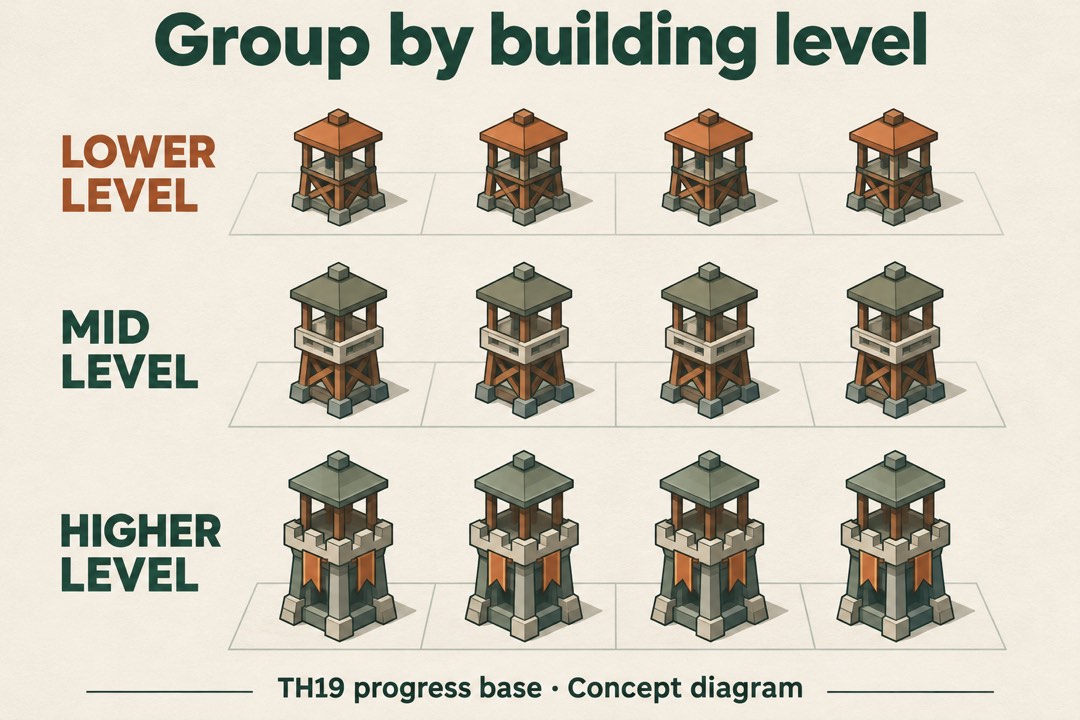
2. Group by upgrade level
Group buildings of the same type into rows by level. For example, put level 16 Air Defenses in one row and level 17 Air Defenses in another so the older group is easy to spot.
3. Line up walls in straight rows
Lay wall segments in straight rows grouped by level. Start a new row when you reach the edge of the village so you can see how many segments remain at each level.
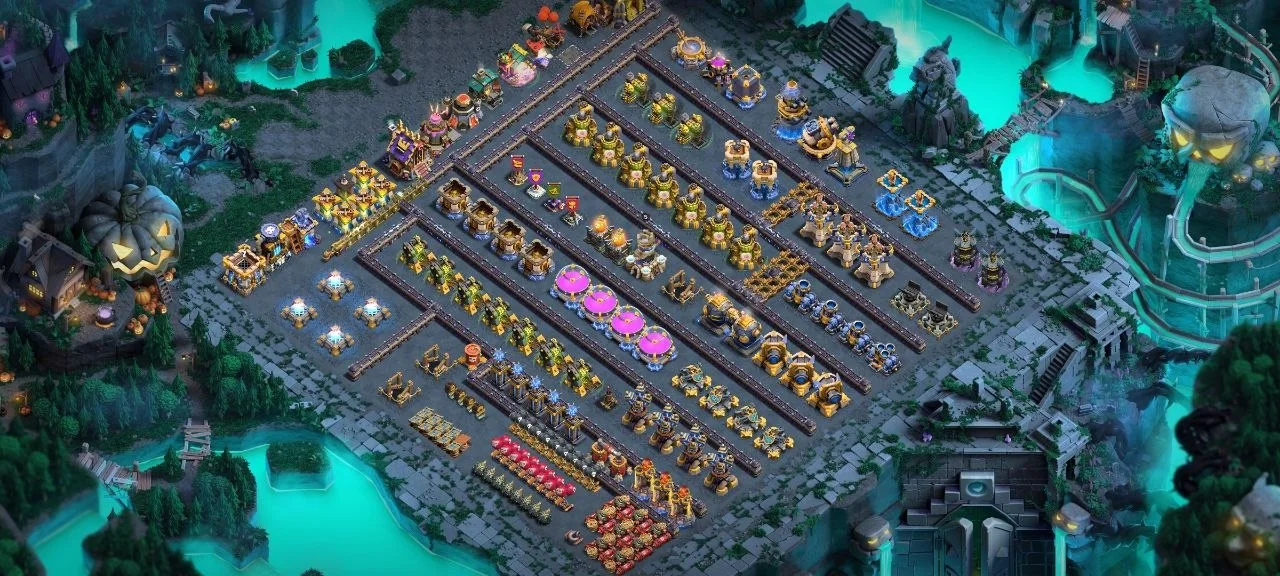
For a war-focused upgrade plan, put the defences you want to upgrade next at the front of their group. If you are scheduling several builders, reserve a row for upgrades that are ready to start.
The 10-second layout check
Open the progress layout and see whether you can point to the next building or wall segment you plan to upgrade within ten seconds. If two Air Defenses at different levels sit among identical rows and you have to open both info panels to find the one you want, move the lower-level defence into its own row. Recheck after the next builder finishes.
Home Village and War Base use separate layouts
- In Home Village: Keep the progress base in a separate layout slot. If you make it your Active Layout while planning upgrades, switch back to your usual defensive layout before going offline.
- In Clan War: Open the War Base section of the Layout Editor and confirm the layout for the current war during Preparation Day. Once Battle Day begins, later changes to your War Base have no effect on the current war. Changing the Active Layout in Home Village leaves your War Base selection as it was.
- In CWL: Keep your usual Home Village defence active for everyday play. Confirm the league layout separately in the War Base editor during each round’s Preparation Day.
Supercell's War Base guide shows where to edit the layout. The Clan Wars rules explain when changes take effect.
Progress bases and copy links
A shared progress layout gives you a starting checklist of buildings. Spend a few minutes grouping it by type, level or upgrade order and leave gaps so you can see what comes next.
TH19 progress base links
Use these share links as starting points for an upgrade checklist. The three layouts organise buildings or walls in different ways.
- Building groups progress base · Progress · Source checked Nov 20, 2026 Copy base
- Wall rows progress base · Progress · Source checked Nov 20, 2026 Copy base
- Upgrade queue progress base · Progress · Source checked Nov 20, 2026 Copy base
- Free a Home Village slot for the progress layout.
- Open the share link on the phone or tablet you use to play.
- Check the preview shows Town Hall 19, then save in the free slot and move the buildings around your own upgrade queue.
If a link will not open or save, use the TH19 base links troubleshooting guide.
Next steps
- TH19 war bases — the layout your clan judges you by.
- TH19 CWL bases — how to prepare your War Base for Clan War League rounds.
- TH19 farming bases — what to protect first on a normal day.
- TH19 ranked bases — when the job is trophies on the ladder.
- All TH19 bases guides — start from the job you need this week.
Town Hall 19 questions
What is a TH19 progress base for?
A layout that spreads every building out so you can see what is still upgrading and plan the next one. It is a planning tool, not a defence.
Should I leave my progress base on while I sleep?
Keep it saved in a separate Home Village slot. If you activated it to plan upgrades, make your regular defensive layout active again before going offline. Your War Base is selected separately during Preparation Day.
How should I arrange a progress base?
Group buildings by type — defences, walls, resources, traps — and leave a one-tile gap between them. Upgrades are then visible without scrolling.
Got a layout that handled the current TH19 meta better? Say which attack it stopped.